Your Agency Sends a Report Every Month. Here's How to Tell If Anything Actually Moved.
You've paid for SEO. Maybe for a year. Maybe with two different companies.
Every month a report shows up. It has charts, green arrows, and words like "impressions" and "domain authority." And every month you close it with the same question: did any of this get me a single job?
If you can't answer that, the problem usually isn't you. It's the report.
Why most SEO reports leave you guessing
Most reports are built to show activity, not results. They answer "what did we do?" when you're asking "what did I get?"
Here are the numbers that tend to fill a report without telling you much:
Impressions. Google's own definition is that a user "has seen (or potentially seen)" a link to your site. Potentially seen. That's not a customer.
Average position. One number averaged across every search you show up for, including searches nobody in your area makes.
Keyword counts. "You now rank for 340 keywords" sounds great until you learn most of them bring no calls.
Traffic from anywhere. Visitors from other states don't book a plumber in Kennesaw.
None of these are fake. They just sit a long way from your phone. A report can show every one of them going up while your calls stay flat.
The 4 numbers that actually tell you something
If you run a local service business, these are the four numbers worth asking for every month. Each one is closer to money than the last.
1. Map coverage across your service area.
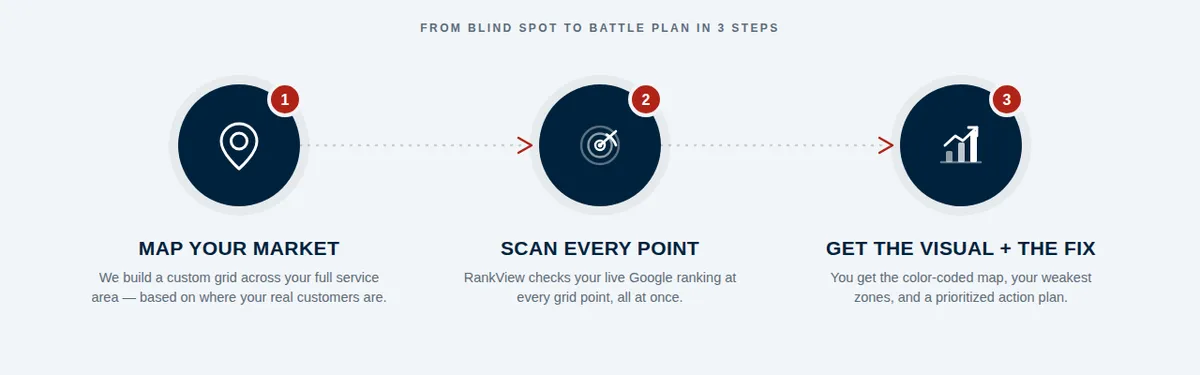
Not "we rank #3." Where do you rank #3? Your Google Maps ranking changes block by block, because Google weighs how close the searcher is to your business. A single check from your office tells you almost nothing about the side of town you're trying to win. A geo-grid scan checks your ranking from dozens of points across your market and shows you, by color, where you show up and where you don't. Progress looks like green spreading outward.
2. Calls and website clicks from your Google Business Profile.
Google tracks these for you. Open your profile's Performance report and you'll see calls (taps on the call button), website clicks, direction requests, and more. These are people who found you and took an action. Compare the same months year over year so seasonality doesn't fool you.
3. Form leads and booked calls from your website.
Real names and phone numbers, counted. If your agency can't tell you how many leads came through your site last month, they're not tracking the thing you're paying for.
4. Booked jobs.
This one lives in your CRM or your calendar, not your agency's dashboard. But it's the only number that pays the bills. A good agency will ask you for it, because it's how both of you know whether the first three numbers are turning into revenue.
What "it's working" looks like
Real progress usually shows up in this order:
The map gets greener, starting near your shop and spreading out.
Profile calls and website clicks start rising.
Form leads pick up.
Booked jobs follow.
If your report shows step 1 for months but nothing in steps 2 through 4, something between "found" and "hired" is broken. Maybe the profile has weak reviews. Maybe the website buries the phone number. Maybe nobody answers the phone. That's useful to know, and a good report should point at it.
If your report can't show you step 1 at all, you don't have a baseline. And without a baseline, nobody can prove anything moved.
5 questions to ask your agency this month
Send these in an email. How they answer will tell you a lot.
Where on the map did we gain ground since we started? Ask for a before and after, not a single number.
How many calls and website clicks did my Google profile get this month, compared with the same month last year?
How many form leads came through the website, and where did they come from?
What did you change this month, and which number do you expect it to move?
What's not working, and what are you doing about it?
A good agency will have answers ready. If the reply is a new chart with more impressions on it, you have your answer.
A self-check you can do today
You don't need your agency for this one.
Open your Google Business Profile and click into Performance. Write down last month's calls and website clicks.
Set the date range to the same month last year. Write those down too.
Now search your main service from your phone while standing at your shop. Then ask someone across town to do the same search and send you a screenshot.
If calls are flat year over year and you vanish across town, the money you're spending hasn't changed what customers see yet. That's not a reason to panic. It's a reason to ask better questions.
See where you actually stand
Before you judge any marketing, you need a starting line. A free RankView scan shows your Google Maps ranking across your whole service area, so you can see exactly where you're found and where you're not. Run it now, then run it again in 90 days. The map doesn't use jargon.
Want to see a scan walked through live? Join our RankView webinar every Thursday at 12 PM Eastern.
New to map rankings? Start with why your Google ranking isn't one number. And if you're also running ads, read why you may be paying for clicks where you already rank.


